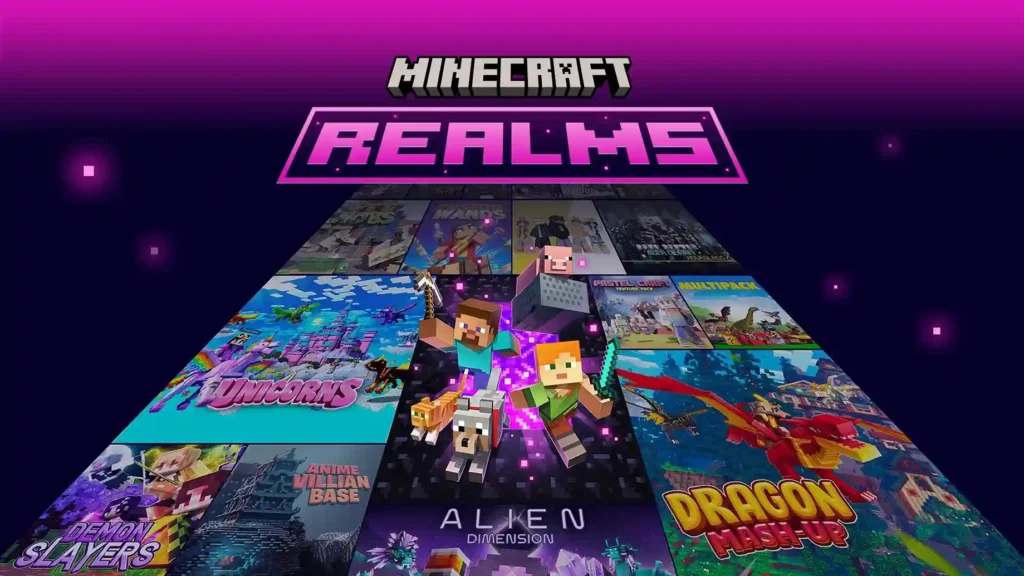
Minecraft Realms: Play With Friends Anytime, Anywhere (2026)
You spent three days building the perfect survival base. Torches lit. Chest room sorted. Nether portal ready. Then your friend says: “Bro, when are you online? I want to join.” You say 8 PM. They log in at 9. Your game is off. World gone.
That single problem is exactly why Minecraft Realms exists.
Realms keeps your world running 24/7. Your friends can join even when your phone is off. No setup. No port forwarding. No tech headaches. Just invite, join, and play.
But here is the thing most guides skip: Realms works differently for mod APK users than it does for official Minecraft. If you are playing on an Android APK build, you need to know what works, what does not, and what your real options are before you spend a dollar.
This guide covers everything. Pricing, features, cross-platform limits, mod compatibility on Android, Realms Stories, and honest alternatives. By the end, you will know exactly whether Realms is worth it for your setup. check out the complete guide of Minecraft mod apk.
What Are Minecraft Realms All About?
Minecraft Realms is Mojang’s official private server service. You pay a monthly fee. Mojang runs the server for you. It stays online 24/7. Up to 10 invited friends can join whenever they want, even when you are offline.
Think of it this way. A normal Minecraft world only exists when your device is on and running the game. Realms moves that world to Mojang’s servers. The world lives there permanently until you cancel.
You do not touch any server files. You do not open any ports. You go into the game, tap Realms, pick a plan, and you are live in under five minutes.
According to the official Minecraft Wiki, Realms uses Bedrock Dedicated Server for Bedrock Edition and server.jar for Java Edition. Mojang controls the whole setup. You just manage the world from inside the game.
One important thing many players miss: only one person needs to pay. The owner buys the subscription. All invited players join completely free.
Realms vs Regular Multiplayer: What Actually Changes?
Without Realms, playing with friends on mobile means one of two things. You both must be online at the same time for LAN play, or you need a server setup that requires technical knowledge most players do not have. Realms removes both barriers. Your friend can log in at 2 AM and keep building. You wake up, open the game, and see everything they added. That asynchronous play is the whole point.
Is Realms the Same as a Minecraft Server?
No, and this matters a lot for mod APK users.
A dedicated server gives you full control. You install what you want, run any version, add plugins, and manage everything yourself. Realms is managed hosting. Mojang controls the server environment. You get simplicity, but you give up customization.
If your goal is heavy mods and full control, a dedicated server wins. If your goal is easy, always-on play with friends, Realms wins.
Core Features of Minecraft Realms (2026)
Private Access: Your World, Your Rules
Only players you personally invite can join your Realm. No randoms. No strangers. The owner controls everything: who gets invited, who gets banned, and what permission level each player has.
This makes Realms one of the safest multiplayer options for younger players. Parents who worry about public servers often prefer Realms for exactly this reason.
Always Online: Play Even While You Sleep
Your Realm stays active whether you are online or not. Your friends can build, explore, and farm whenever they want. You log in later and see all the progress waiting for you.
This is the feature that makes Realms feel different from everything else. No scheduling. No waiting for the host to come online.
Easy Invitations: No IP Addresses Needed
Old-school multiplayer on Android required typing in a server IP address and port number. One wrong digit and nothing connects.
With Realms, you send a username invite or share a link. Your friend taps it, the Realm appears, they join. That is the entire process on Bedrock Edition.
Java Edition uses direct username invites through the in-game menu.
Automatic Backups: Your World Is Never Gone for Good
This is a feature many players do not appreciate until something goes wrong.
On Java Edition, according to the Minecraft Wiki, Realms auto-saves a backup every few hours when players are online. On Bedrock Edition, it saves at the end of every play session and every 30 minutes during active play.
The practical result: a creeper blows up your spawn area, someone accidentally floods the base with lava, or a friend places TNT as a “prank.” You open Realm settings, restore the backup from before it happened, and everything is back.
The owner can also download any backup as a local singleplayer world. Your data never disappears just because you cancel.
Three World Slots: Run Different Worlds at Once
Every Realm subscription includes three separate world slots. You can run a survival world, a creative build world, and a mini-game map all at the same time.
Bedrock Edition goes further. Beyond those three active slots, you can store additional world saves on the Realm. Automatic saves are kept for a limited time, but you can manually download any world to keep it permanently.
One default bonus: Bedrock Realms always activates the Realms Celebration Map in the third world slot. It is a free, pre-built adventure map ready to play from day one.
Cross-Platform Play: Bedrock Only, and Here Is Why It Matters
This is the most important point for Android and APK users.
Bedrock Edition Realms support cross-platform play. Android, iOS, Xbox, PlayStation, Nintendo Switch, and Windows PC players can all join the same Realm. This is why Bedrock is the version most mobile players use.
Java Edition Realms do not support mobile or console. Java Realms work only for PC players on Windows, Mac, or Linux.
| Platform | Bedrock Realms | Java Realms |
| Android (APK) | Yes | No |
| iOS | Yes | No |
| Xbox | Yes | No |
| PlayStation | Yes | No |
| Nintendo Switch | Yes | No |
| Windows PC | Yes | Yes |
| Mac / Linux | No | Yes |
If you play on Android, you need Bedrock Realms. Java Realms will not work for you.
Marketplace Content: Realms Plus Only
The higher Bedrock plan, Realms Plus, includes access to the Minecraft Marketplace Pass. This gives you a rotating library of over 150 curated content packs: skins, texture packs, adventure worlds, and behavior packs created by official Marketplace partners.
Character Creator items are also included with Realms Plus, updated with new content regularly.
If you already spend money on Marketplace content, Realms Plus pays for itself. If you never buy Marketplace items, the basic Realms Core plan saves you four dollars a month with no real loss.
Simple Setup and Management
There is nothing technical here. No command line. No configuration files. No network settings.
You open Minecraft, go to Play, tap Create New World, and select Create on Realms. Pick your plan. Agree to the terms. Done. The whole process takes under five minutes.
Managing the Realm works the same way. Every setting lives inside the game. You adjust world options, invite friends, manage permissions, and switch worlds all from the in-game menu.
Realms Stories: The Social Feature Nobody Is Talking About
Both competitor sites on this topic completely ignored Realms Stories. That is a mistake, because it changes how groups actually use Realms.
Realms Stories launched for Bedrock Edition in April 2024 and received significant updates through 2025. It is a social hub built directly into the Realm, hosted on Xbox’s social network.
It has three tabs.
The Story Feed works like an in-game social feed. Members post screenshots from play sessions, write text updates, and react to each other’s posts with likes and comments.According to Mojang’s official announcement, Realm Events also post automatically. When someone defeats the Ender Dragon, discovers a rare biome, or hits a major milestone, it appears in the feed for everyone to see.
The Timeline tab shows when each player is usually online. One week of activity is visible at a time. This is genuinely useful for friend groups in different time zones. You can see exactly when your friends are active and plan sessions around it.
In May 2025, Mojang added an option for Realm owners to require Timeline opt-in before players can join. This lets owners track activity more carefully for managed communities.
The Members tab shows everyone in the Realm, their permission level, and whether they are currently online. Anyone in the Realm can see this, not just the owner.
All Stories content is also accessible from each member’s Xbox profile page, where screenshots can be downloaded directly.
What Can You Do in a Realm?
Build Together Without Timing Problems
The biggest thing Realms changes is how groups build. Without it, everyone needs to be online at the same time. With it, your friend finishes the farm while you sleep. You add to the castle while they are at school. The project grows continuously.
Asynchronous building is what makes long-term group projects actually work. Anyone who has tried to coordinate five friends to be online simultaneously knows how difficult that gets.
Explore New Worlds as a Group
With three world slots, your group can maintain separate experiences. Keep one survival world that everyone treats seriously. Use the second slot for a creative build server. Drop an adventure map into the third slot for weekends.
Switching between worlds on Realms takes about 30 seconds. No one needs to set up anything. You just switch the active slot and everyone joins the new world.
Run Mini-Games and Adventure Maps
Realms Plus members can browse and activate Marketplace adventure maps and mini-game worlds directly onto their Realm. These are officially built maps tested by Mojang, so they load cleanly without compatibility issues.
You can also find free adventure maps on Planet Minecraft and MCPEDL and upload them manually to any Realm.
Host a Safe Space for Friends and Family
Public Minecraft servers on Android expose players to strangers, inappropriate chat, and unpredictable moderation. Realms gives complete control to the owner. You decide who joins. You see exactly what everyone does through Realms Stories. You kick or ban anyone instantly.
For parent-managed accounts, Realms with child account settings gives a genuinely safe multiplayer environment with no public exposure.
Minecraft Realms Plans: Bedrock vs Java Edition (2026)
Here are the current plans as of 2026, sourced from Minecraft.net and confirmed by ThePricer.org’s February 2026 review:
| Plan | Edition | Price/Month | Max Players | Extras |
| Realms Core | Bedrock | $3.99 | 2 players | Basic private server |
| Realms Plus | Bedrock | $7.99 | 10 players | Marketplace Pass + Character Creator |
| Realms | Java | $7.99 | 10 players | No Marketplace |
The 30-day free trial applies to Realms Plus on Bedrock. It is available once per account. After the trial, the subscription auto-renews monthly. You can cancel anytime without losing your world data.
Realms Core can upgrade to Realms Plus at any time without losing your Realm or any world data.
Which Plan Should Android and APK Users Pick?
If you play with one close friend, Realms Core at $3.99 is all you need. Two player limit, full server features, same always-online experience.
If you play with a group of three to ten people, Realms Plus at $7.99 is the better value. The Marketplace Pass alone is worth it if you ever download content packs.
Java Realms at $7.99 is irrelevant for Android users. It will not work on your device.
The Question Every APK User Actually Has: Does Mod APK Work With Realms?
This is the section both competitors completely skipped. Here is the honest answer.
Minecraft Bedrock Edition on Android supports Realms fully. If you use the standard APK downloaded from Google Play or an official source, you can join Realms, create Realms, and use all features without issue.
For modded APK builds, the situation depends on one critical factor: version matching.
Every Realm runs on a specific Minecraft version. If your APK version does not exactly match the Realm’s version, you will get a connection error. The server and client must run the same version to communicate. This is not a Realms-specific issue. It applies to all Minecraft servers.
What works on Bedrock Realms: behavior packs, resource packs, and add-ons from sources like MCPEDL. These are Mojang-approved modification types that function within Realms’ rules.
What does not work: full mods of the type found on CurseForge or Modrinth for Java Edition. Forge and Fabric mods require server-side installation.According to Playgama’s July 2026 analysis, Realms deliberately restricts this to maintain stability and cross-platform compatibility. A Forge mod that works on your device cannot be pushed to the Realm server itself.
The practical advice: keep your APK updated to the latest Minecraft release version. The closer your APK version matches the current Realm version, the fewer connection issues you will have.
If heavy mods are what you want, Realms is not the right tool. Skip to the alternatives section below.
Realms vs Free Alternatives: An Honest Comparison
Most guides for APK users skip this comparison. Here it is:
| Option | Cost | Max Players | Always Online | Full Mods | Setup Difficulty |
| Realms Core | $3.99/mo | 2 | Yes | No | Very Easy |
| Realms Plus | $7.99/mo | 10 | Yes | No | Very Easy |
| Aternos | Free | 20+ | No (on-demand) | Yes | Medium |
| Minehut | Free | 10 | No (limited) | Yes | Medium |
| Apex Hosting | From $2.99/mo | Scalable | Yes | Yes | Medium |
Aternos is the most popular free option. The server only runs when someone actively starts it. It shuts down after inactivity. For groups with flexible schedules, it works well. For groups who want a world that is always accessible, it falls short of Realms.
Minehut offers free server hosting with plugin support. It works for Java Edition and supports modifications that Realms blocks. The free tier limits simultaneous players and server resources.
Apex Hosting starts at around $2.99 per month and gives you a always-on server with full mod support. If your group wants both permanent uptime and heavy mods, Apex beats Realms on features. It just requires more setup.
How to Set Up Minecraft Realms on Android (2026)
This works for both official Bedrock APK and most updated mod APK builds that match the current Minecraft version.
- Step 1. Open Minecraft and tap Play on the main screen.
- Step 2. Tap Create New World on the world selection screen.
- Step 3. Configure your world settings: name, game mode, difficulty.
- Step 4. Tap Create on Realms instead of Create.
- Step 5. Choose your plan. Add a 2-Player Realm (Core) or Add a 10-Player Realm (Plus).
- Step 6. If you have never subscribed before, tap Start Trial to get 30 days free.
- Step 7. Confirm payment. Your Realm goes live within about 60 seconds.
How to Invite Friends to Your Realm
- Method 1, username invite: Open your Realm from the Play screen. Tap Members. Tap Invite Player. Type your friend’s Minecraft username. They receive a notification in-game.
- Method 2, invite link: Open Realm settings. Tap Share Link. Copy the link and send it however you want, through WhatsApp, Discord, or any message app. Your friend taps it and the Realm appears automatically in their Play screen.
How to Join Someone Else’s Realm
If you received a username invite, open Minecraft, go to Play, and find the Realm listed under the Realms section. Tap it and join.
If you received an invite link, tap the link outside the game. Minecraft opens and the Realm loads automatically.
Common Realms Problems and How to Fix Them
Neither competitor page covers troubleshooting. This section alone answers questions that thousands of players search for every week.
Cannot Join Realm: Connection Failed
The most common cause for APK users is a version mismatch. Your APK version does not match the Realm’s current version. Fix: check your APK version number in Settings and compare it to the current Minecraft release version. Update if needed.
The second common cause is that Realms requires a Microsoft account. If you are using a mod APK that bypasses the Microsoft login, Realms will not connect. The service authenticates through Xbox Network.
The third cause is NAT type issues on mobile data. Some carriers block the connections Realms needs. Try switching to WiFi first to confirm whether that resolves it.
Friends Cannot See My Realm Invitation
If your friend uses a child account linked to a family Microsoft account, parental controls often block Realms invitations by default. The account owner needs to adjust communication settings in the Microsoft Family Safety app.
On Xbox accounts, outgoing invite permissions are sometimes restricted. Your friend should check their Xbox privacy settings and allow players to send them game invitations.
Realm Keeps Lagging With Multiple Players
Realms runs on fixed server resources. You cannot upgrade the hardware. This means heavy redstone farms, large entity counts, and mass mob spawners will cause lag that you cannot fix by changing any setting.
If lag is a consistent problem with your group’s play style, a third-party host like Apex Hosting gives you scalable resources that Realms simply cannot match. This is an honest limitation of the service.
Realm Shows Offline When Friends Are Playing
Check your server region setting inside Realm configuration. If the auto-select chose a region far from your location, latency spikes can make the Realm appear unresponsive.
Open the Realm settings, tap Region, and manually select the server region closest to your physical location. This typically resolves false offline readings and reduces ping for everyone.
Is Minecraft Realms Worth It in 2026?
Here is an honest answer, not a fence-sitting one.
Realms is worth it if you play with a small, consistent group of friends, you want the world always available without any technical management, safety and privacy matter (families especially), and you want Mojang’s official infrastructure with automatic backups.
Realms is not worth it if you want full mods and customized gameplay, your group has more than 10 players, you need to run plugins or custom server configurations, or you want better performance scaling for heavy redstone or large builds.
The $3.99 monthly cost for Realms Core is genuinely low. Less than one coffee. For two friends who want a permanent shared world with zero setup, it is difficult to argue against the value.
The $7.99 Realms Plus price makes more sense when you factor in the Marketplace Pass. If your group regularly downloads skins, texture packs, or adventure maps, those individual purchases often exceed $7.99 per month anyway.
For APK users specifically: if your modded APK matches the current Minecraft version, Realms connects and works normally. If you run an older APK build, expect version mismatch errors. And if heavy mods are your main reason for using a mod APK, Realms will not give you what you want. Aternos or a paid host with Forge support will serve you better.
Conclusions
Realms solves the specific problem of keeping a shared Minecraft world alive between sessions. For small groups who want zero setup and maximum convenience, it is genuinely the easiest option available.
The three things to decide before subscribing: which edition you use (Bedrock for Android), how many players you need (Core for 2, Plus for up to 10), and whether you want mods (if yes, look at alternatives instead).
For mod APK users, the honest answer is this: Realms works if your version matches. It does not support heavy mods regardless of what client you run. If permanent multiplayer without mods is what you need, Realms delivers. If mods are the priority, a free server host like Aternos will serve you better.
One question worth thinking about: if your friends could join your world right now without you being online, what would they build first? That answer tells you exactly whether a Realm is worth your money.